The Viewer

A whole plant design in your browser

The Viewer opens a ChemE-as-Code project and shows everything in it: the chemistry, the streams and the simulation, the drawings, the 3D plant, cost, safety and the checks. It only reads the files, so you can look around without changing anything.

Start here

One project, everything in reach

The overview shows the project's phase, how mature its calculations really are, who signed off which stage, and the drawings. The side bar groups every page by discipline: process, P&IDs, equipment, control and safety, layout, cost and quality.
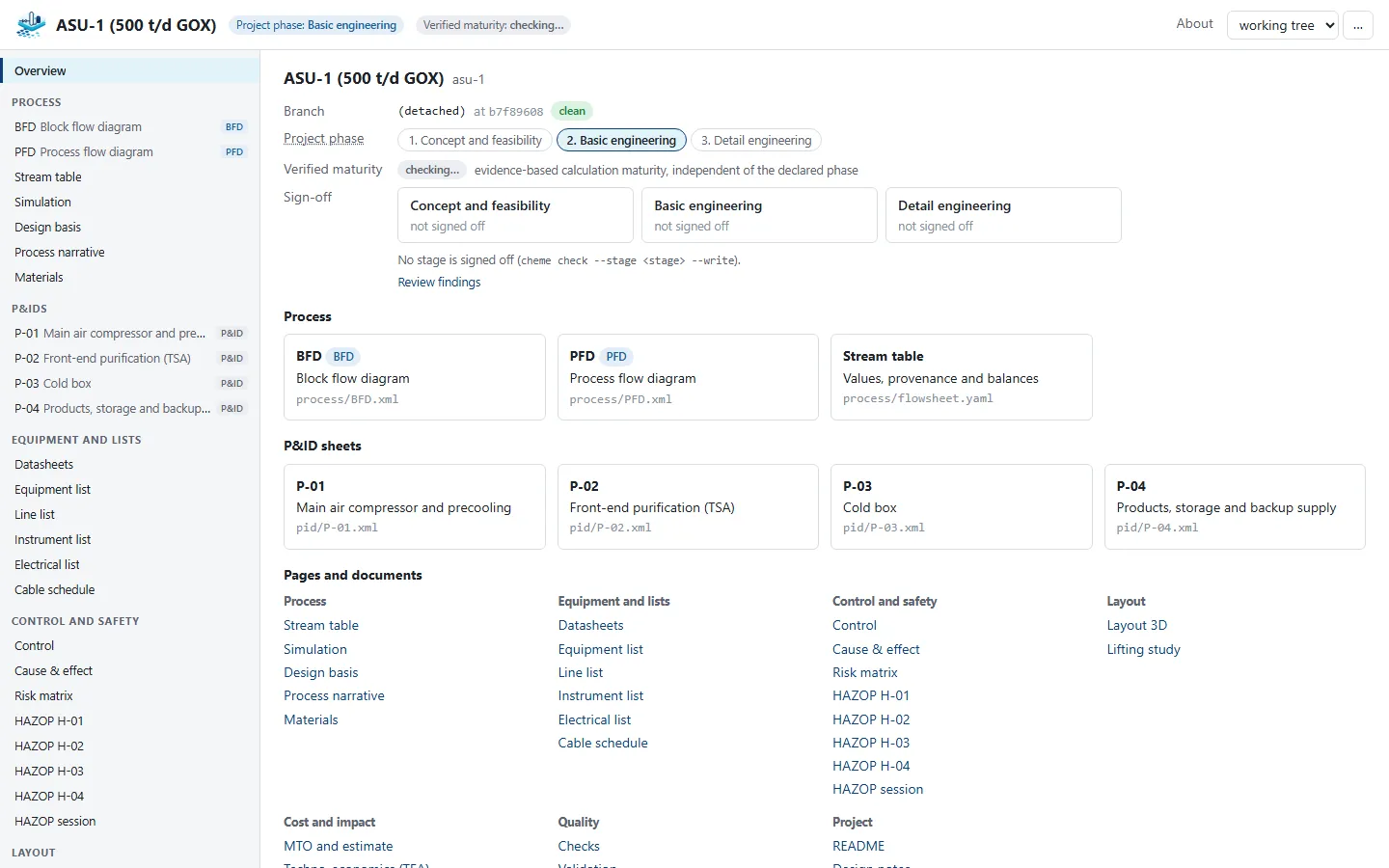
The overview of the air separation unit in the Viewer: the project phase, the verified maturity, sign-offs, the drawings and the pages grouped by discipline
Viewer · overview of the air separation unit

Drawings

Click through the P&IDs

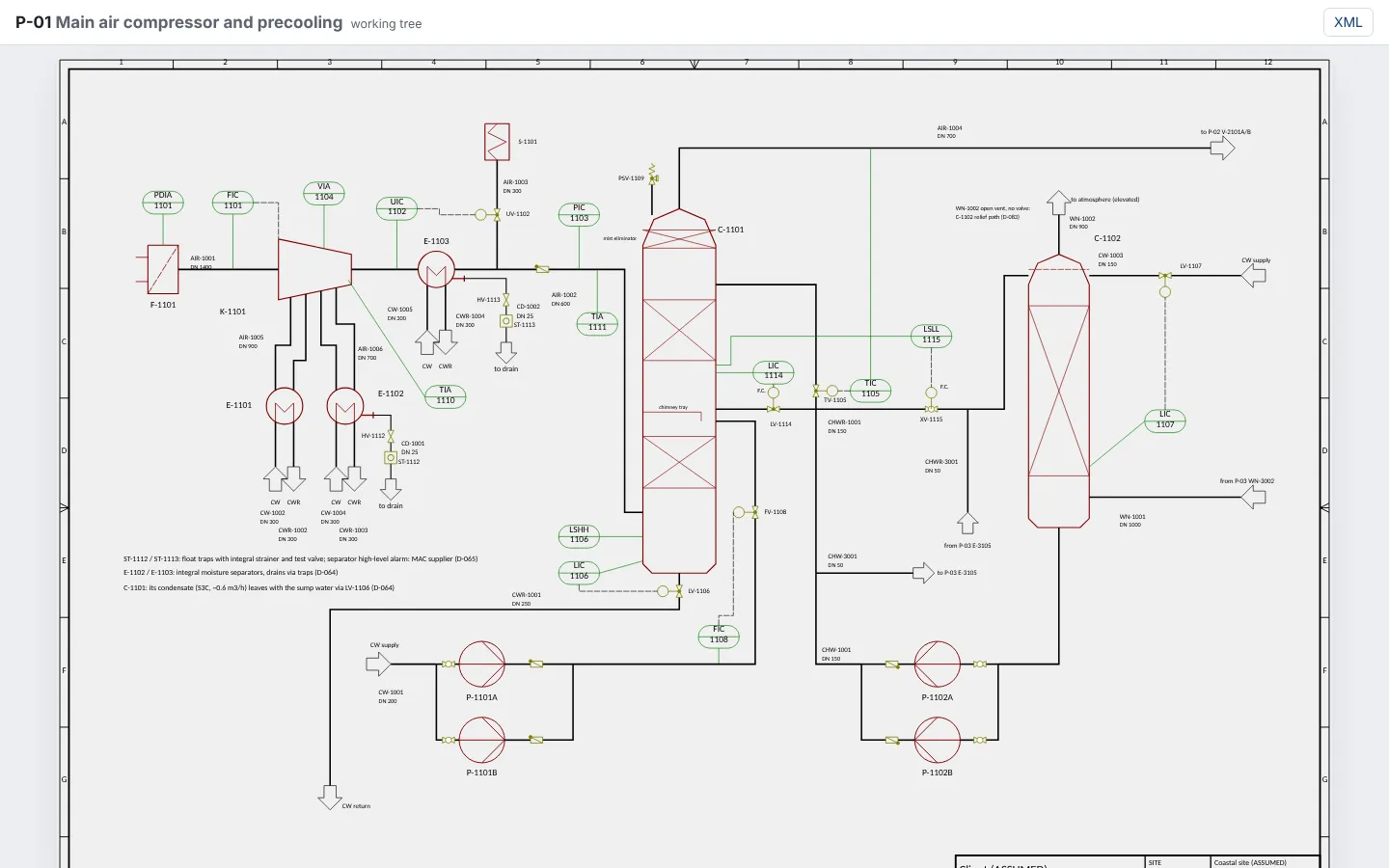
Zoom and pan the P&IDs, click a pump or a valve to see its data, and jump from a stream to the drawing it belongs to and back. The block and process flow diagrams work the same way.

A P&ID of the main air compressor in the Viewer
Viewer · P&ID P-01

Chemistry

Reactions and catalysts

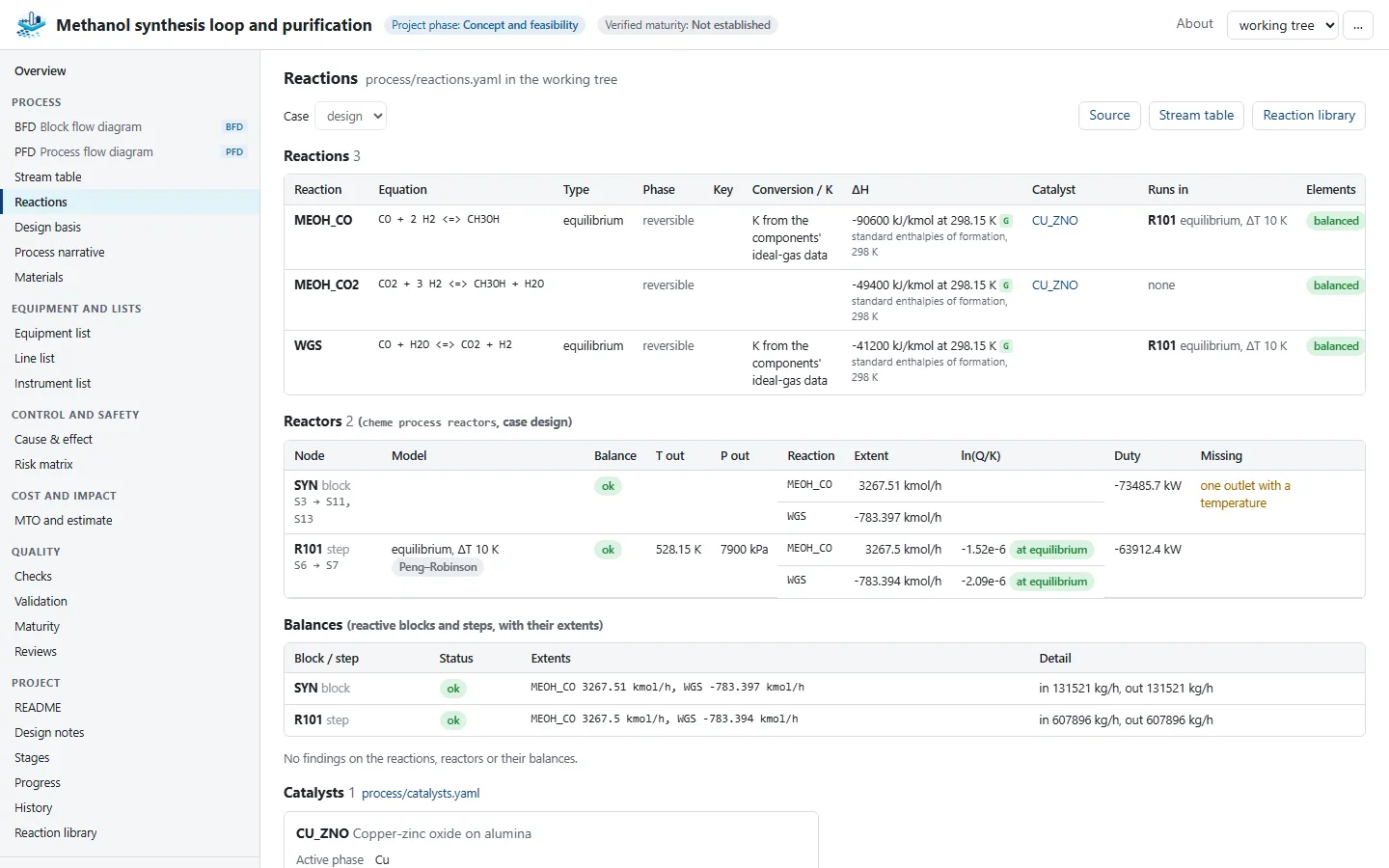
Each reaction with its equation and whether its elements balance, what sets its extent, the catalysts and the reactors it runs in. Fitted kinetics and catalyst bed profiles show as charts.

The reactions page of the methanol process: equations, element balance and catalysts
Viewer · reactions of the methanol process

Process simulation

Streams and the simulation

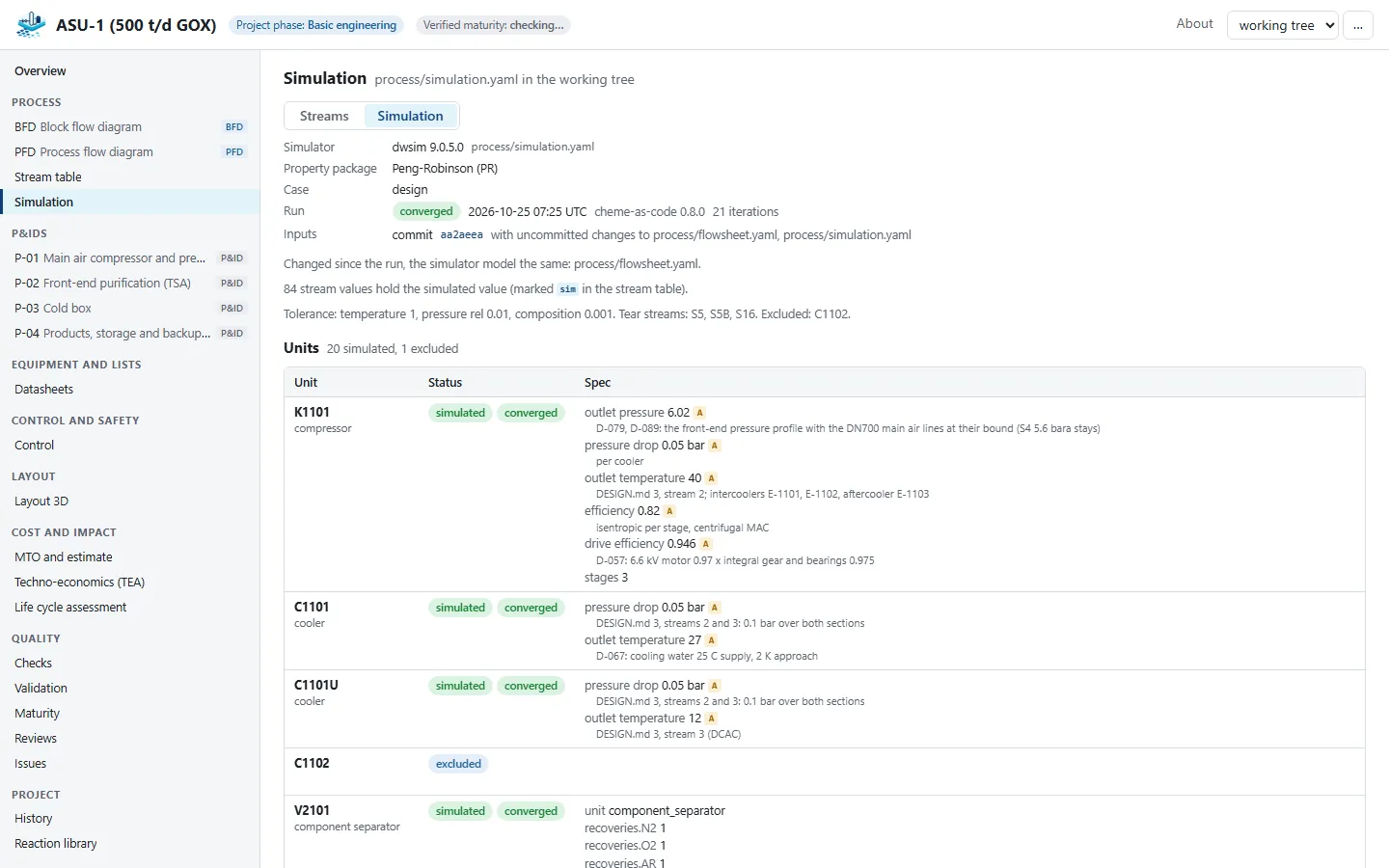
The stream table shows pressure, temperature, flow and composition of every stream, each marked given, assumed or calculated. The simulation tab shows the recorded run of the simulator and which values it filled in, and warns when the design has changed since.

The simulation run of the air separation unit: converged streams
Viewer · the recorded simulation run

Layout

Walk through the 3D plant

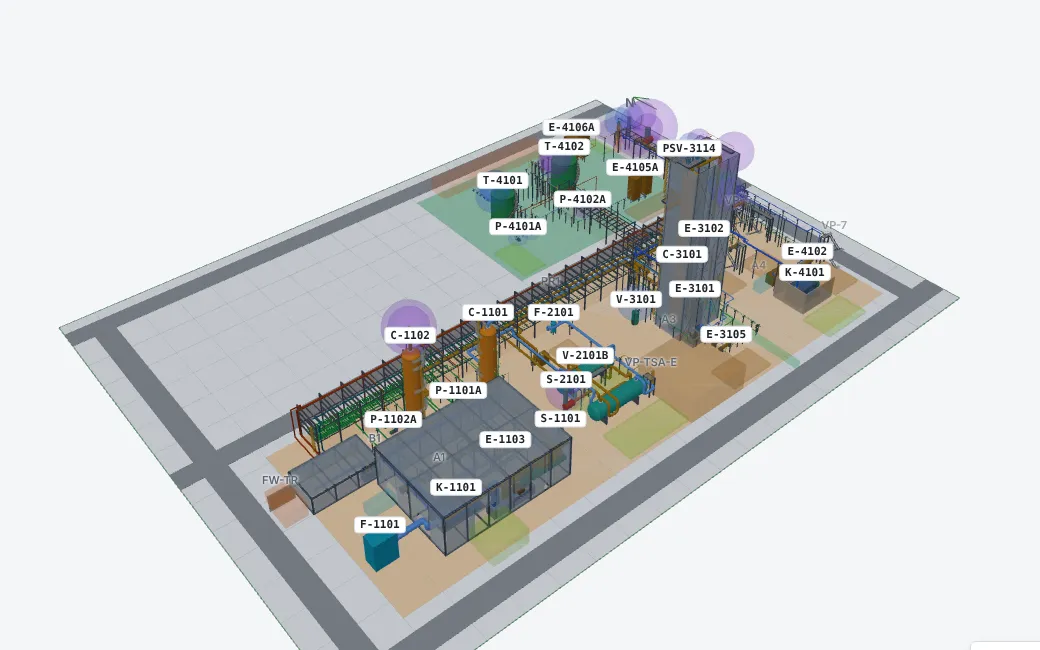
Orbit, walk or fly through the plant model: equipment, pipes, steel, platforms and buildings. Pick an item to see its data and open it on its P&ID.

The 3D layout of the air separation unit
Viewer · 3D layout

Quality

How far the design really is

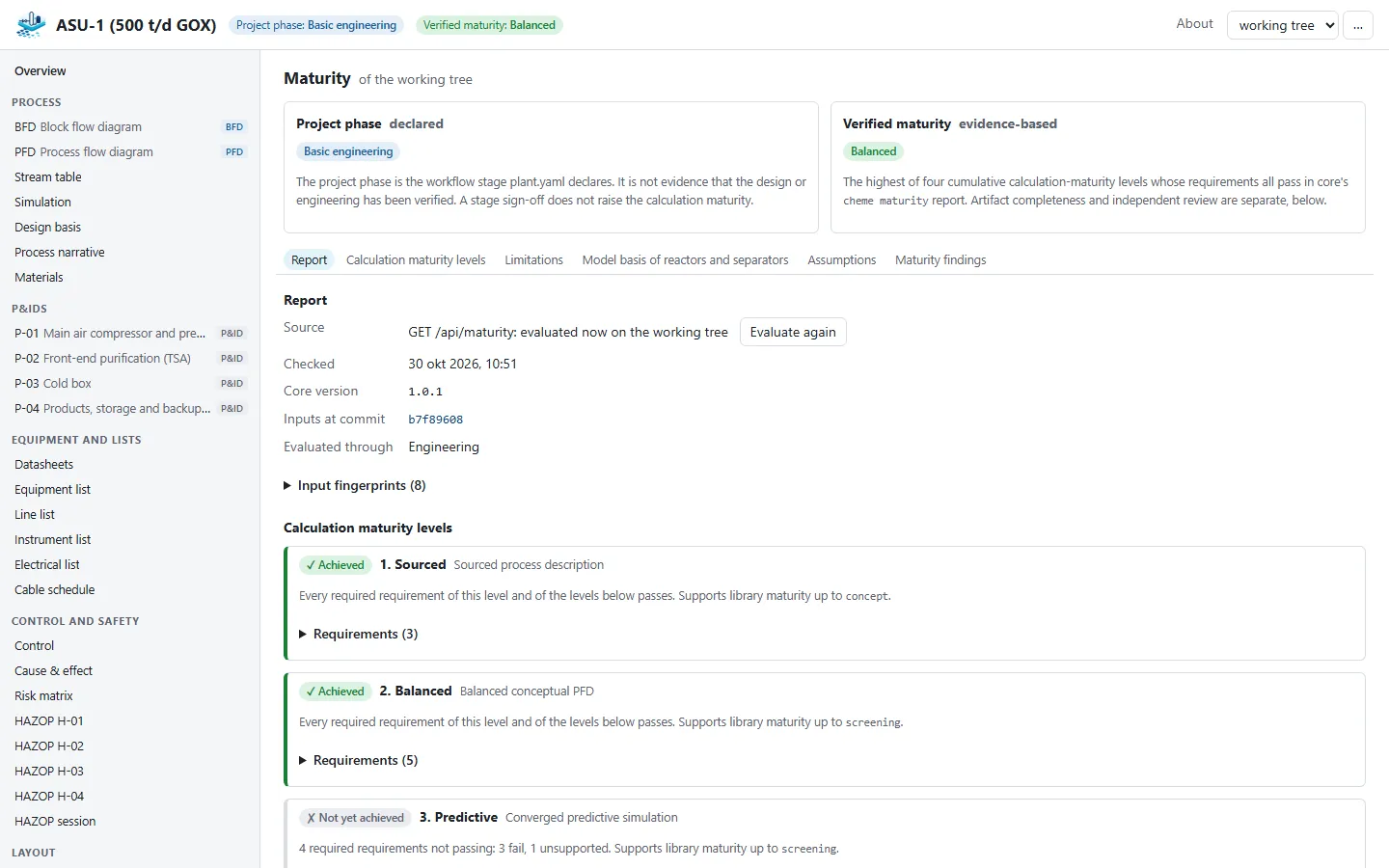
Checks, validation findings, review records and the evidence-based maturity sit next to the design, so it is always clear what has been checked, by whom, and what is still open.

The maturity page: calculation maturity levels and their requirements
Viewer · calculation maturity

History

Every revision side by side

Because the project is in git, the Viewer can show any earlier version. Pick a branch or a commit, or compare two versions of a P&ID with what was added, removed and changed highlighted.

Several projects

A whole library at once

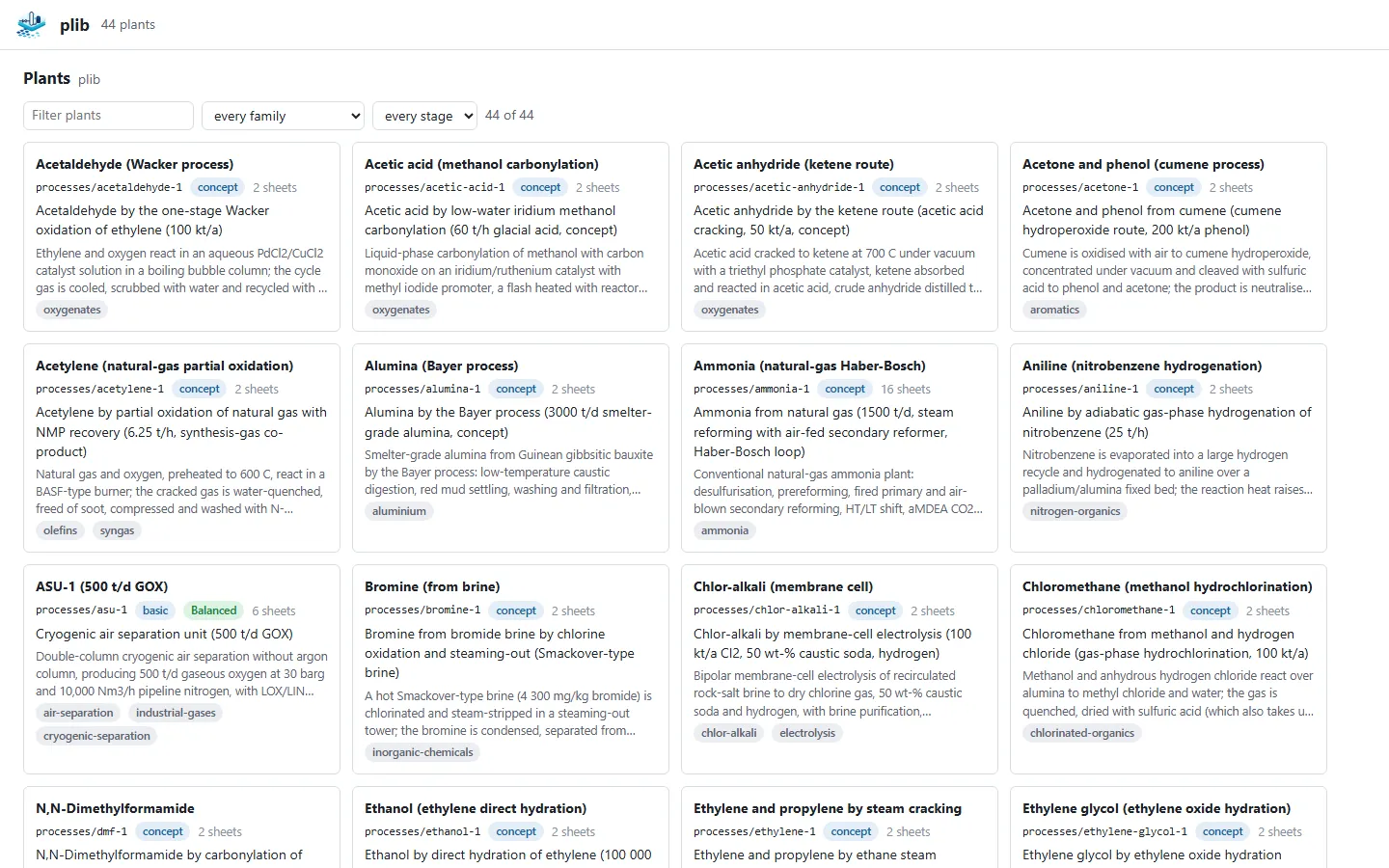
Started on a folder with many plants, such as the process library, the Viewer lists them all. Filter them, open one, and switch to another without leaving the page you are on.

The Viewer's index of the plants of the process library, with filters
Viewer · the plants of the process library

Process Atlas

Built into the Process Atlas

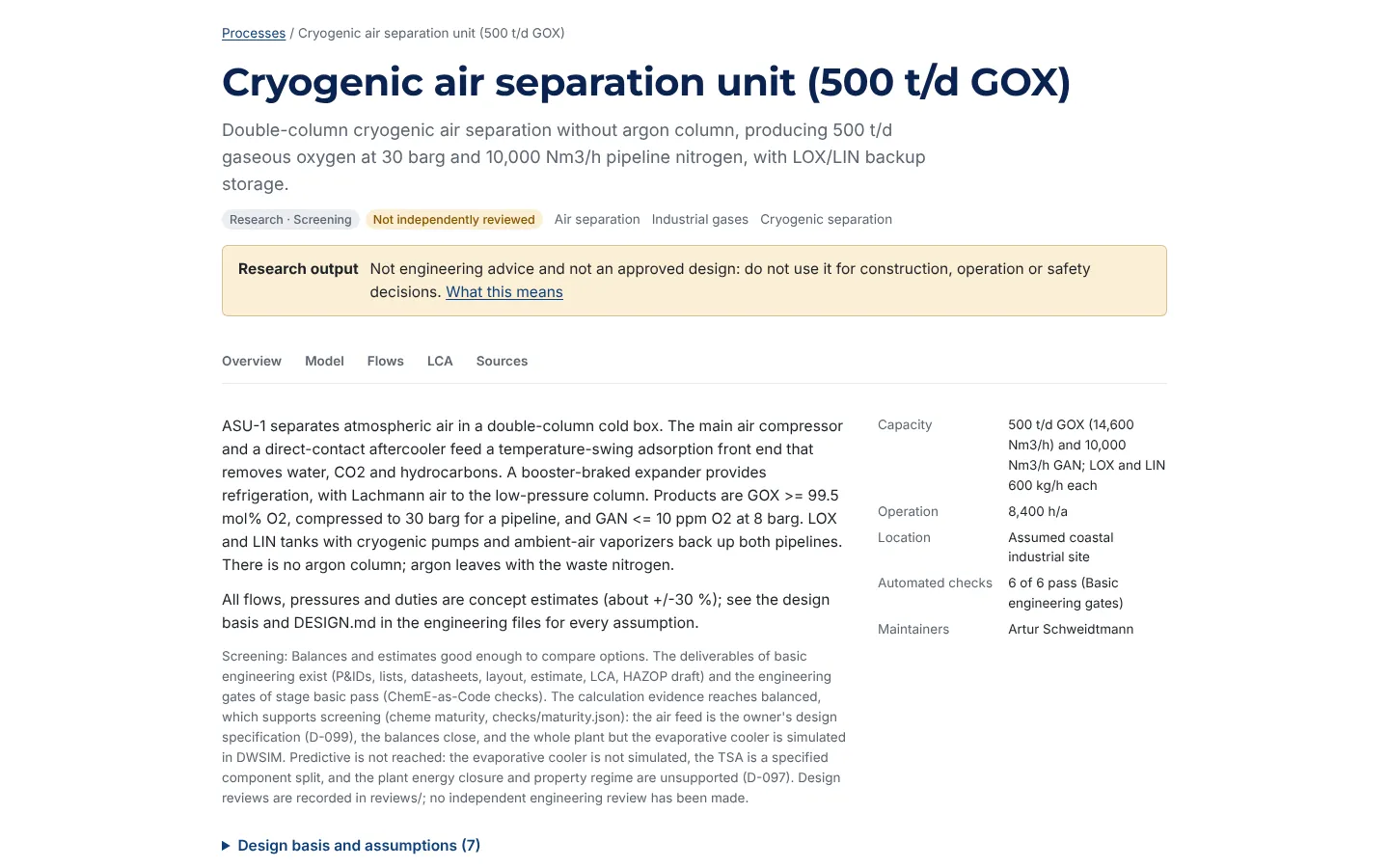
Every process in the Process Atlas with an engineering project carries the Viewer on its page, so you can open its drawings, streams and 3D plant without installing anything.

The page of the air separation unit in the Process Atlas
Process Atlas · the air separation unit

Go further